- From the Windows desktop, choose the shortcut for "Configure Kiosk Mode"
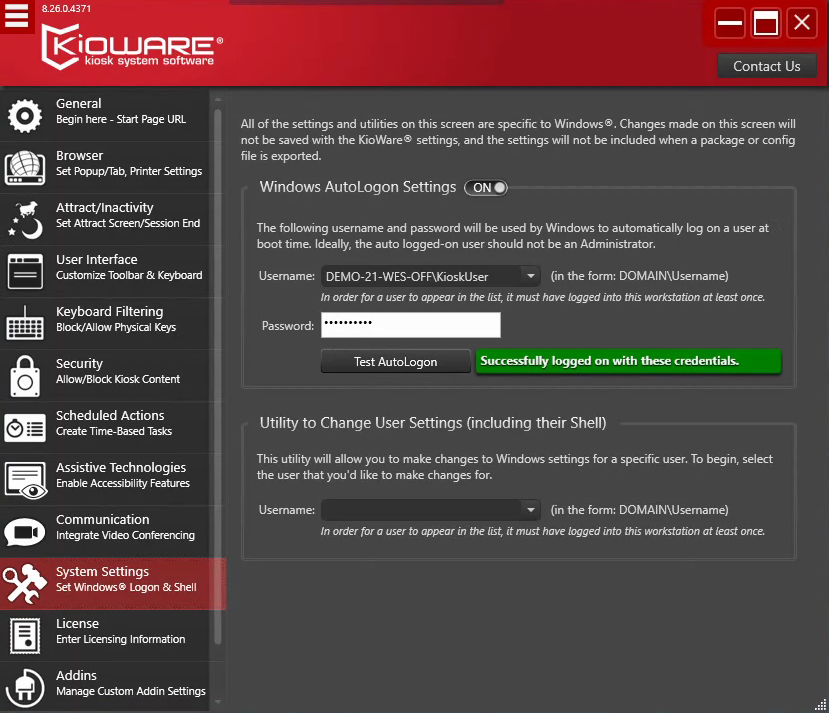
- Select "System Settings" from the left side menu
- Windows AutoLogon Settings should be toggled on and the username needs to be "clockname"\KioskUser
- Enter KioskUser! for the password and Test AutoLogon
- Once it shows Successful, close this window and restart the device.