Error Message
"Windows created a temporary paging file on your computer because of a problem that occurred with your paging file configuration when you started your computer."
The paging error typically means a memory error or storage is maxed out.
Only IF the storage is maxed/ close to maxing out do the following
- Perform a disk cleanup
- Run the command sfc /scannow at a command prompt

If the storage space is not the issue, the RAM is likely failing
- Run a Memory test
- The memory test is launched through the OS, then will restart the clock into an automated BIOS process, finally restarting back to the OS with the results appearing on startup.
- To run the Memory diagnostics, search for "Memory" in the start menu and it will pop up.

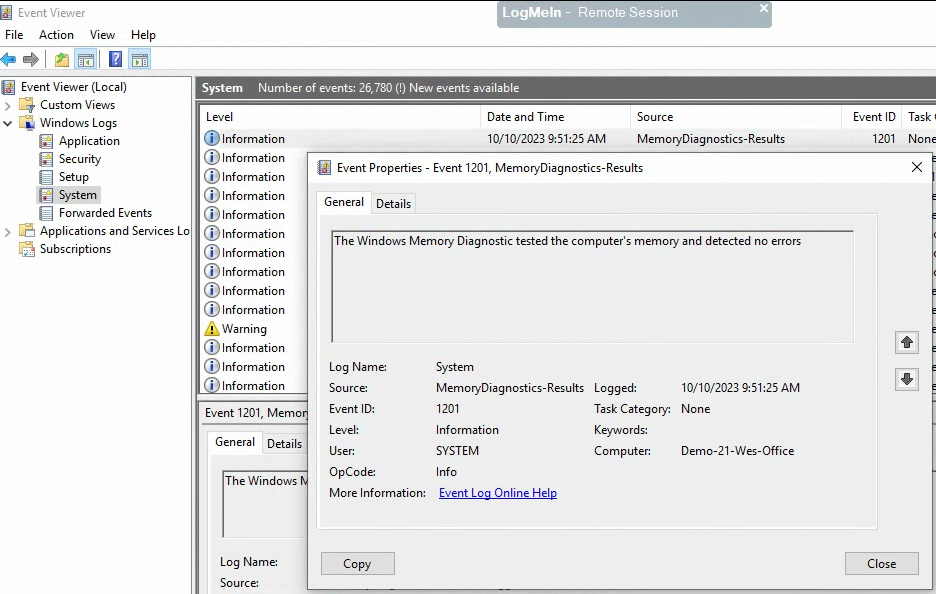
- The results can be found in Event Viewer - choose Window Logs, then System. Search for MemoryDiagnostics-Results