
Time clocks critically low on disk space may exhibit some performance issues. To alleviate this
issue if it occurs, exit kiosk mode and follow the steps outlined below from Windows.
⦁ Run the Disk Cleanup app (in the search bar at the bottom type disk cleanup)
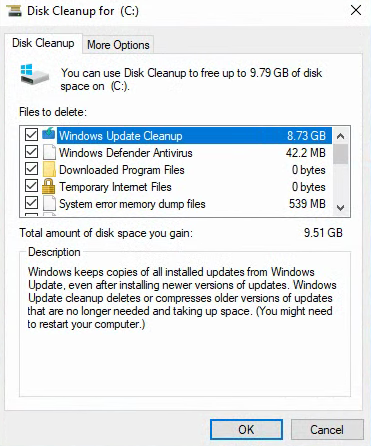
⦁ Be sure to choose "Clean up system files" at the lower left of the window. This will do a scan and allow the option to also include "Windows Update Cleanup" files. Select all of the boxes in this window EXCEPT the Downloaded Program Files and select "OK".
⦁ This may take some time to run but should clean up a significant amount of space.