
Check to be sure the Windows Time service and autoTZ service are set to automatic, and make sure location services are enabled.
The clocks are set to a default time server, time.windows.com. If you district does not allow synchronization to that site or if you prefer to use an internal district time server, you can make the change as necessary.
Exit to Windows. Open the time settings and choose the tab for Internet Time.
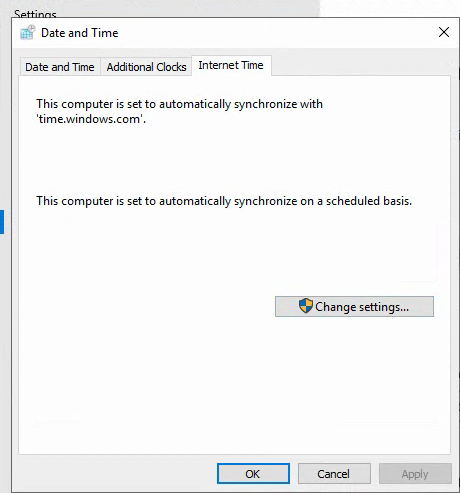
Choose Change settings. Enter your time server in place of time.windows.com and select Update now.
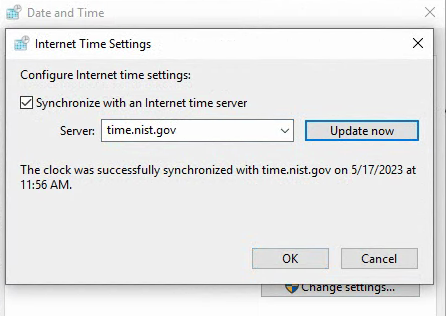
It should show as successful. You can then close the remaining windows and click the icon on the desktop to Start Kiosk Mode.