1. Make sure everything is unplugged from the device, including the Nano Prox reader
and power cord.
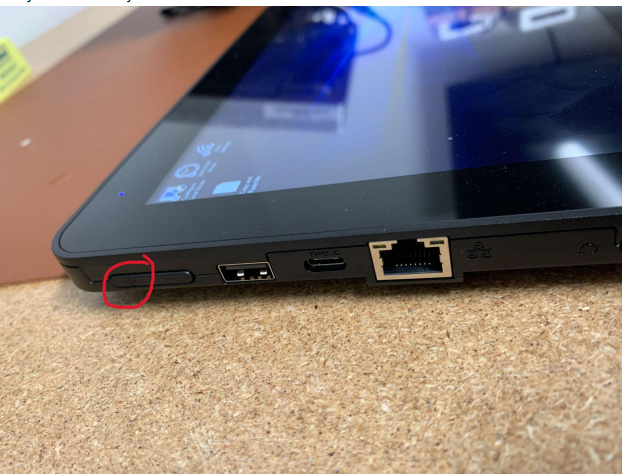
2. Plug in the power cord, which will turn on the device and then immediately start holding
the volume up rocker on the top left side of the device. Keep holding the volume rocker
until you successfully enter the BIOS.
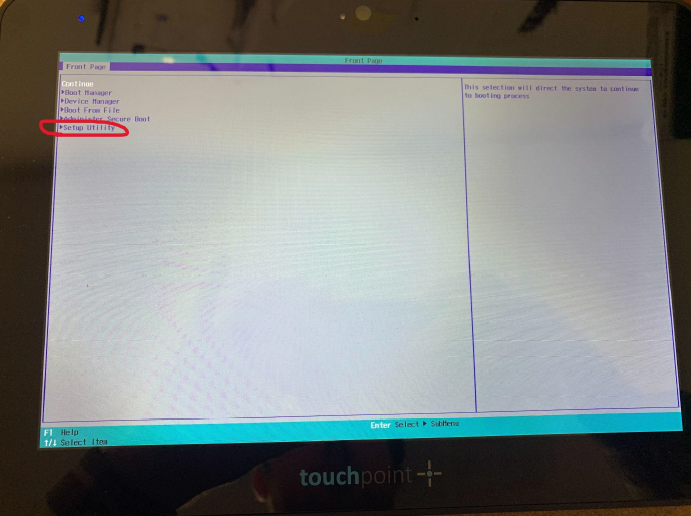
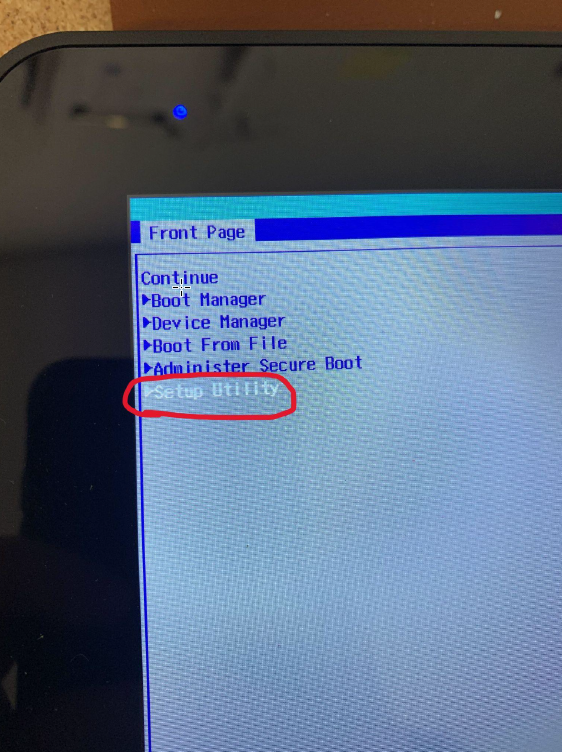
3. When you see the BIOS appear, select the “Setup Utility” option. (You can use the
touchscreen to navigate)
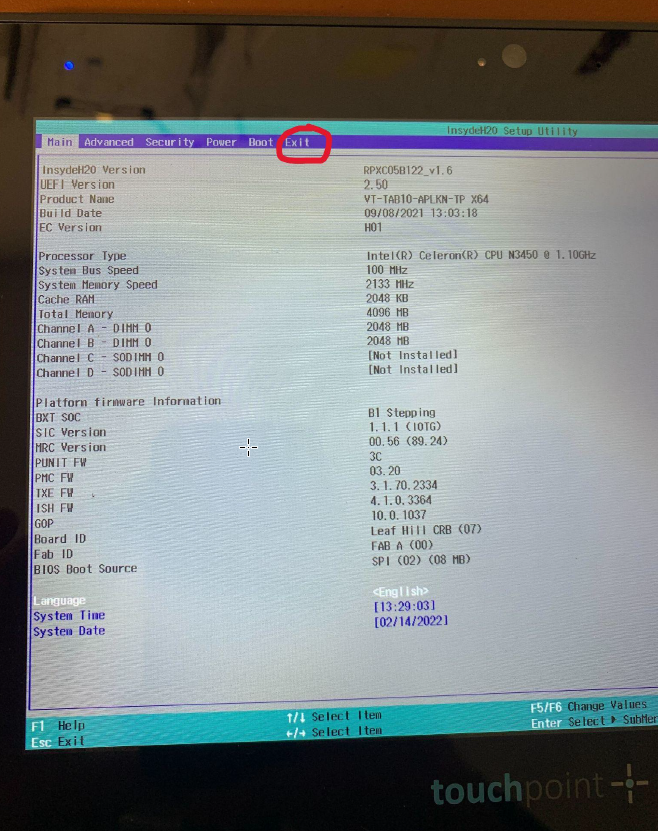
4. This is the page that should be displayed after you enter the Setup Utility. Next, select
the Exit Tab at the top.
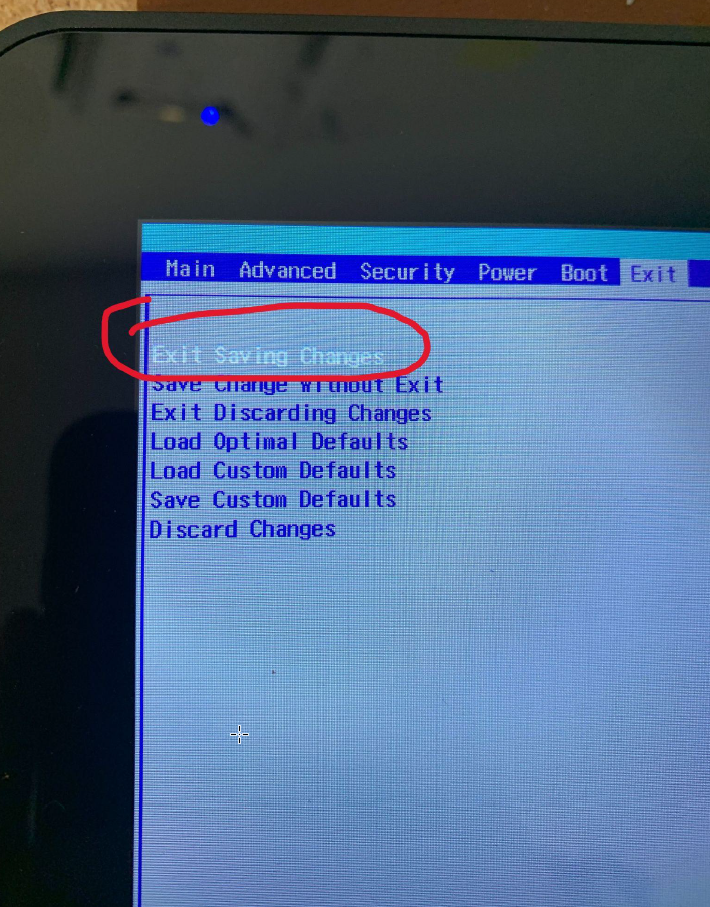
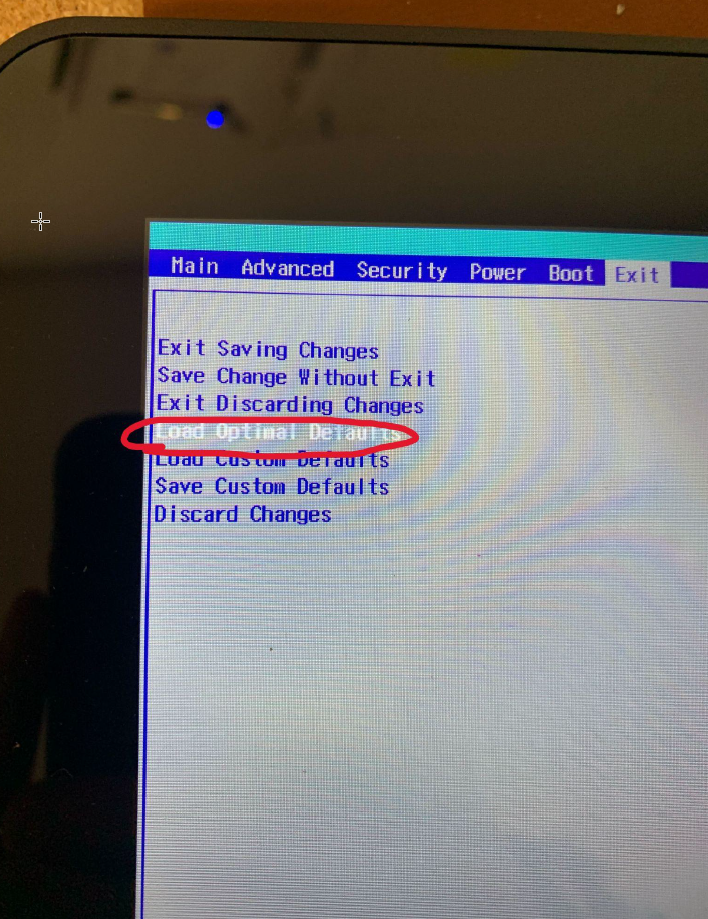
5. In the Exit menu, select the “Load Optimal Defaults” option.
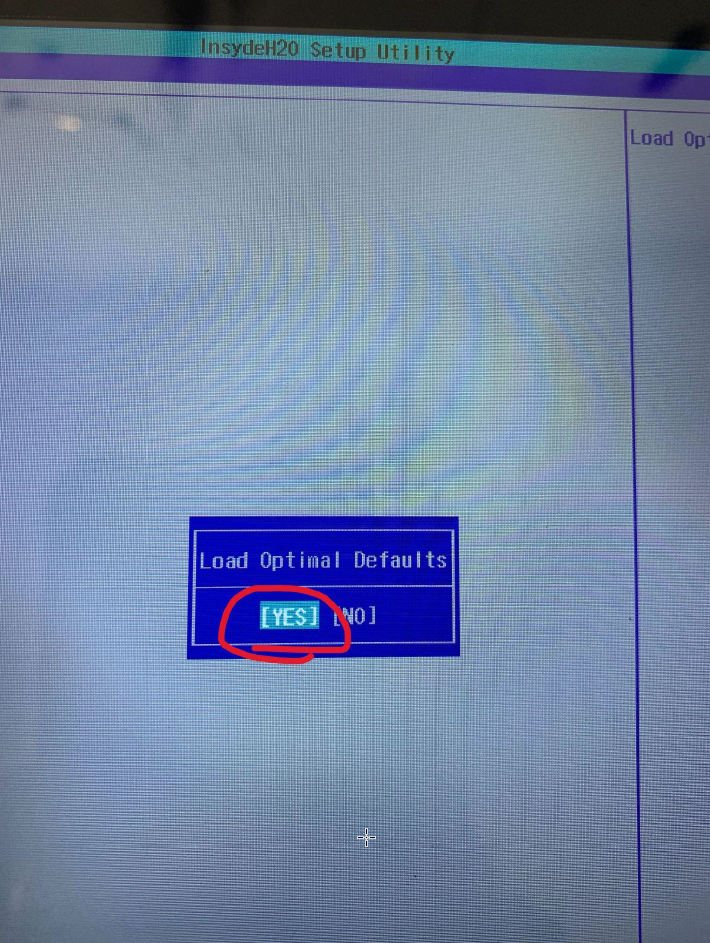
6. Select “Yes”.
7. Next, select “Exit saving changes”, then select “Yes”.