
The prox intake form is created by the Touchpoint team to assist districts in gathering user name and prox card information and can be assigned to one or all of your clocks (depending on how you prefer to gather the data). This form will request the employee name then they will scan their badge to associate it with their name. The spreadsheet it creates will then be sent to you to import into Frontline (or your Frontline reps/support can assist). During the import process the output of the card populates the Alt Scanning ID field for each user in Time and Attendance.
An example of the form that will be added to the kiosk screen of the clock looks like this to complete the process...
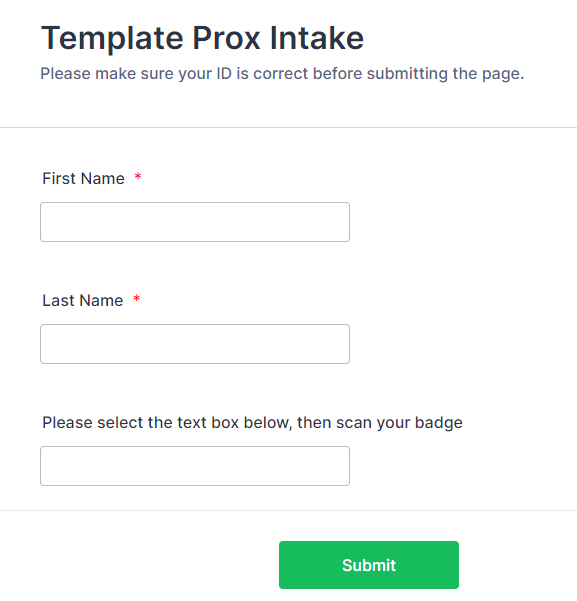
Once all users have entered their information, let the Touchpoint team know and they will send you the spreadsheet and switch the device(s) back to kiosk mode for clocking in/out.
After all of the data is entered, what is the process of doing this during the year if we get new employees?
Scan the employee's card at a kiosk to get the output of the card (click here for instructions) then add exactly what the card displayed to the user's Alt Scanning ID field in Frontline Time and Attendance. HERE is a document outlining the steps in Frontline.